Choosing the right operating system is an important decision when building or buying a gaming computer. While the graphics card, processor, RAM, and storage receive most of the attention, the operating system also affects gaming performance, security, compatibility, and the overall user experience. Windows 11 has become a popular option for modern gaming systems, but is it the right choice for every player?
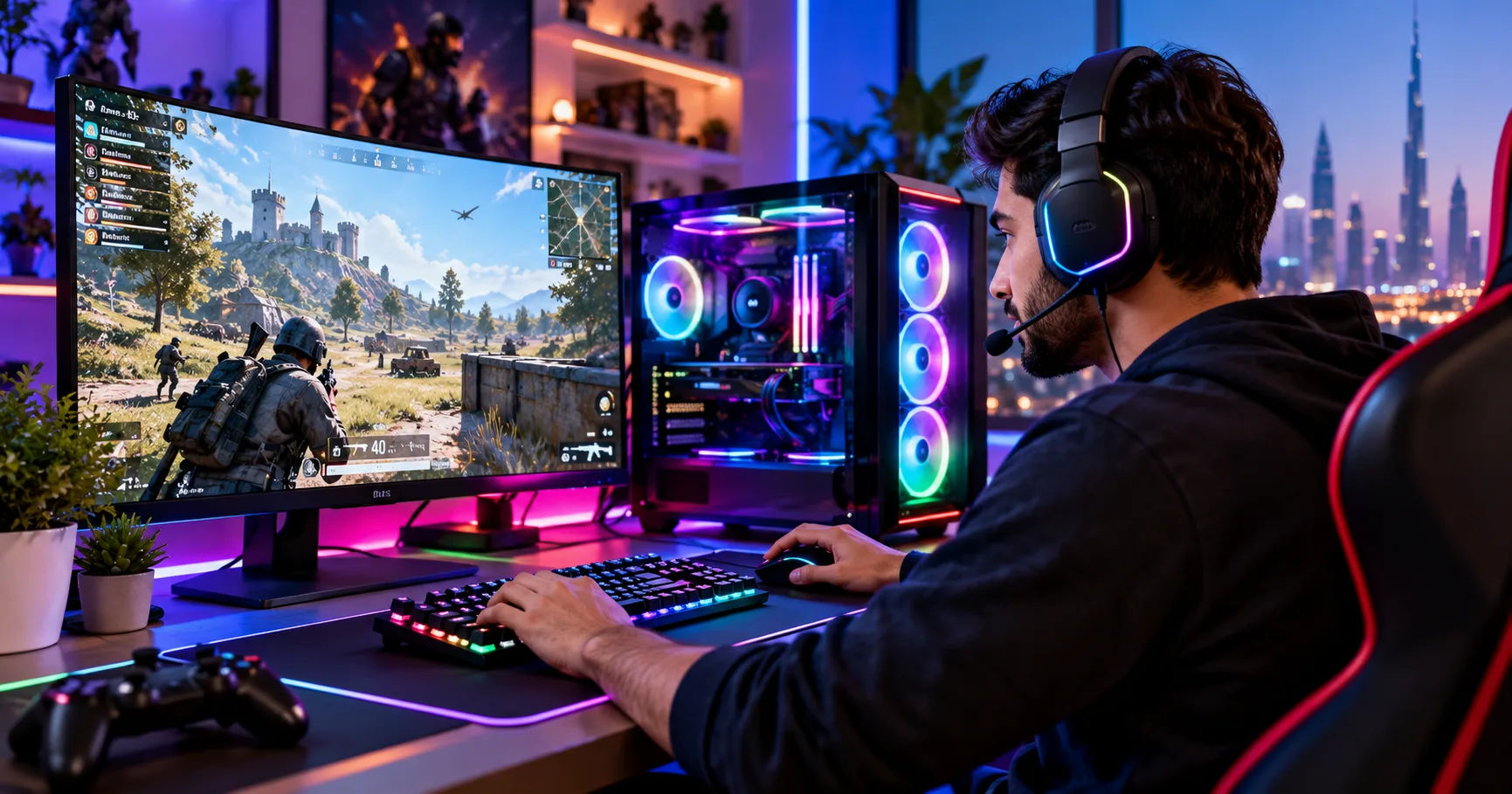
For gamers who want smooth gameplay, modern features, and long-term reliability, gaming pc dubai buyers should carefully consider what Windows 11 offers before making a purchase. The right operating system can help users get the most from their hardware, whether they enjoy competitive multiplayer games, open-world adventures, racing simulators, or demanding AAA titles.
Dubai has a diverse gaming community, including casual players, esports enthusiasts, content creators, and people who use one computer for both work and entertainment. Their needs can differ significantly. Some players want the highest possible frame rates, while others value visual quality, streaming features, and the ability to run several applications simultaneously.
Windows 11 is an excellent option for many modern gaming computers, but the decision should depend on hardware compatibility, budget, preferred games, and personal requirements. Understanding its advantages and limitations will help you make a more informed choice.
Windows 11 for Gaming
Windows 11 is Microsoft's modern desktop operating system. It offers a redesigned interface, updated security features, improved support for contemporary hardware, and several technologies designed to enhance the gaming experience.
Unlike older operating systems, Windows 11 was developed with modern processors, high-speed storage, advanced graphics cards, and current connectivity standards in mind. These features make it suitable for gaming computers built with recent components.
However, installing a newer operating system does not automatically make every game faster. Actual performance depends on the complete system, including the processor, graphics card, memory, cooling, drivers, and game settings.
What Makes Windows 11 Different?
Windows 11 includes several features that can benefit gamers:
-
Support for modern graphics technologies, including DirectX 12 Ultimate on compatible hardware.
-
DirectStorage support for compatible games and storage devices.
-
Auto HDR on supported displays and games.
-
Game Mode to help prioritize gaming activity.
-
Improved support for newer processors and graphics hardware.
-
Built-in security features and regular system updates.
Not every feature works with every computer. For example, Auto HDR requires compatible display hardware, while DirectStorage benefits depend on game implementation, storage, drivers, and the rest of the system.
For buyers selecting a new computer, these features make Windows 11 a practical starting point.
Why Windows 11 Is a Good Choice for Gaming PCs in Dubai
Dubai's gaming market includes everything from affordable entry-level computers to high-performance systems designed for 4K gaming. Windows 11 can support a wide range of these configurations, provided the computer meets its system requirements.
Better Support for Modern Hardware
New gaming computers often use recent Intel or AMD processors, modern NVIDIA or AMD graphics cards, DDR5 memory, and NVMe solid-state drives.
Windows 11 supports current hardware platforms and receives driver updates from Microsoft and component manufacturers. These updates can improve compatibility, address technical problems, and introduce optimizations for supported games and devices.
For someone purchasing a newly built gaming pc dubai system, Windows 11 can provide a suitable foundation for current hardware and future upgrades.
Nevertheless, hardware support should always be checked before buying. A computer with an older processor or motherboard may not meet Microsoft's official requirements, even if it can run games reasonably well.
A Strong Platform for Modern Games
Many modern PC games are designed to run on Windows and support technologies available through current graphics drivers and gaming APIs.
Windows 11 supports DirectX 12, which allows compatible games to take advantage of modern graphics hardware. Some titles also support advanced features such as ray tracing, variable-rate shading, and other rendering techniques.
These technologies can improve lighting, reflections, image quality, or performance, depending on the game and hardware.
However, Windows 11 does not guarantee higher frame rates in every title. Some games perform similarly on Windows 10 and Windows 11, while others may behave differently depending on updates, drivers, and system configuration.
The most important factor is choosing an operating system that works reliably with your favorite games.
Convenient Access to Gaming Applications
Windows 11 supports widely used gaming platforms, including Steam, Epic Games Store, Xbox for PC, and other game launchers.
Players can install games, manage libraries, communicate with friends, and access supported multiplayer services from a single computer.
It also supports popular communication and streaming applications, including Discord and OBS Studio. This is useful for players who stream gameplay, record videos, or participate in online tournaments.
For many users, having games and everyday applications available within the same operating system makes Windows 11 a convenient all-purpose solution.
Key Gaming Features in Windows 11
Windows 11 offers several features that can improve gaming, particularly when paired with compatible hardware. Understanding these tools helps you decide whether upgrading is worthwhile.
DirectStorage for Faster Game Loading
DirectStorage is a technology designed to help compatible games load assets more efficiently from fast storage devices.
Traditionally, game data passes through several processing steps before reaching the graphics card. DirectStorage can streamline this process, potentially reducing loading times and helping games manage large environments more efficiently.
This feature is particularly relevant for computers equipped with NVMe SSDs. These drives offer much faster data transfer speeds than traditional hard drives.
However, DirectStorage does not automatically accelerate every game. The game itself must support the technology, and the computer must meet the necessary hardware and software requirements.
When purchasing a gaming pc dubai system, choosing an NVMe SSD is a sensible investment, even if your favorite games do not currently use DirectStorage.
Auto HDR for Improved Visual Quality
Auto HDR is another useful Windows 11 feature. It can improve the appearance of certain older games by expanding their color and brightness range when used with compatible hardware.
High Dynamic Range, or HDR, allows supported displays to show brighter highlights and more detail in dark scenes. This can make environments look more realistic and visually engaging.
Auto HDR is especially useful for players who enjoy older DirectX 11 and DirectX 12 games that were originally designed for standard dynamic range.
To use it, you need a compatible HDR display and a supported game. Results vary according to the display's capabilities and the individual game's visual design.
For gamers investing in a quality monitor, this feature can provide an additional benefit without requiring a complete hardware upgrade.
Game Mode and Gaming Performance
Windows 11 includes Game Mode, which helps prioritize gaming activity when the system is running a game.
It can reduce the impact of certain background activities and help maintain a consistent gaming experience. This may be particularly useful when other applications are running.
However, Game Mode cannot compensate for inadequate hardware. A computer with insufficient RAM or an entry-level graphics card will still face limitations when running demanding titles.
For the best results, combine Game Mode with updated graphics drivers, appropriate game settings, and effective system cooling.
Optimizations for Windowed Games
Some players prefer running games in borderless windowed mode instead of exclusive fullscreen mode.
This makes switching between a game, browser, messaging application, and other programs more convenient.
Windows 11 includes optimizations for certain DirectX 10 and DirectX 11 games running in windowed or borderless windowed modes. On compatible systems, these optimizations can reduce presentation latency and support features such as variable refresh rate.
This can be useful for players who multitask while gaming or frequently move between applications.
Windows 11 vs. Windows 10 for Gaming
Choosing between Windows 10 and Windows 11 was once a common question among PC gamers. Today, security support is also an important consideration.
Microsoft ended standard Windows 10 support on October 14, 2025. Eligible users may have access to specific Extended Security Updates arrangements, but ordinary Windows 10 installations no longer receive the same standard support they previously did.
For most people building a new gaming computer, Windows 11 is therefore the more practical choice.
Performance Comparison
Gaming performance depends on the game, processor, graphics card, memory configuration, drivers, and operating system updates.
Some games perform almost identically on both operating systems. Others may show small differences in average frame rates, frame-time consistency, or CPU performance.
There is no universal rule that Windows 11 always delivers higher FPS.
Competitive gamers should test their preferred games using their actual hardware and settings rather than relying on general performance claims.
If you are buying a new computer, focus first on the quality of the CPU and GPU. These components generally have a much greater influence on gaming performance than the operating system alone.
Compatibility With Older Games
Windows 11 supports many older PC games, but compatibility is not guaranteed for every title.
Some older games depend on outdated software components, legacy drivers, or copy-protection systems that may no longer work correctly.
Players who enjoy classic games should research compatibility before upgrading.
It is also important to consider anti-cheat systems. Certain multiplayer games require specific security features or supported operating system configurations.
Before purchasing a gaming pc dubai computer, check that the games you play regularly support Windows 11.
Security and Long-Term Support
Security is an important reason to prefer a supported operating system.
A gaming computer is often connected to several online services, including digital game stores, payment systems, messaging platforms, and multiplayer accounts. Weak security can put personal information and gaming accounts at risk.
Windows 11 includes security features designed for modern hardware, including support for TPM 2.0 and Secure Boot.
These features can help protect the system against certain threats, although no operating system is completely immune to security problems.
Using supported software, installing updates, and avoiding suspicious downloads are essential practices for every PC gamer.
What Hardware Does Windows 11 Need?
Before installing Windows 11, check whether your computer meets its official system requirements.
The operating system has minimum requirements that are separate from the hardware needed to run demanding games comfortably.
Processor Requirements
Windows 11 requires a compatible 64-bit processor running at 1 GHz or faster, with at least two cores.
However, processor speed alone does not determine compatibility. The CPU must also appear on Microsoft's list of supported processors.
Modern Intel Core and AMD Ryzen platforms can be suitable choices, depending on the specific model.
For competitive games, a strong processor can help deliver high frame rates, particularly when paired with a powerful graphics card and a high-refresh-rate monitor.
For demanding open-world games, CPU performance also influences background simulations, artificial intelligence, and other game processes.
RAM and Storage
The official minimum memory requirement for Windows 11 is 4 GB, but that amount is not a sensible target for a modern gaming computer.
A practical gaming configuration should generally start with 16 GB of RAM, while 32 GB is worth considering for demanding games, multitasking, and content creation.
Actual requirements depend on the games and applications you use.
Storage is equally important. Windows 11 requires a storage device with at least 64 GB of capacity, but modern games can occupy considerably more space.
A 1 TB NVMe SSD is a reasonable starting point for many gaming systems. Players with extensive libraries may benefit from a 2 TB drive or additional storage.
An SSD can significantly reduce loading times compared with a traditional hard drive, although actual results vary by game.
Graphics Card Requirements
Windows 11 requires graphics hardware compatible with DirectX 12 or later and a WDDM 2.0 driver.
That minimum requirement does not mean every compatible graphics card can deliver good performance in demanding modern games.
Your GPU should be selected according to your target resolution, preferred games, and desired frame rate.
For example:
-
1080p gaming: A suitable midrange graphics card can provide a strong experience.
-
1440p gaming: A more powerful GPU is generally preferable, particularly for demanding titles.
-
4K gaming: High-end graphics hardware is often necessary for demanding games and high visual settings.
Ray tracing and other advanced graphical effects may require additional GPU power.
When planning a gaming pc dubai purchase, balance the graphics card with the processor, memory, monitor, and power supply instead of spending the entire budget on one component.
TPM 2.0 and Secure Boot
Windows 11 officially requires TPM 2.0 and UEFI firmware that supports Secure Boot.
TPM is a security component that helps protect cryptographic information. Secure Boot helps ensure that trusted software is loaded during the startup process.
Many modern motherboards support both features, although they may need to be enabled in the firmware settings.
If you are upgrading an older computer, check these settings before attempting installation.
You should also verify CPU compatibility rather than relying exclusively on the presence of TPM 2.0.
How Dubai's Climate Affects a Gaming PC
Dubai's hot climate makes cooling an important consideration for gaming computers.
However, the main issue is not whether Windows 11 works in a hot environment. The operating system itself is not designed specifically for a particular climate.
Instead, the important factors are the computer's cooling system, room temperature, airflow, and component operating temperatures.
Maintaining Effective Cooling
Gaming computers generate heat, particularly when running demanding games for several hours.
If the processor or graphics card becomes too hot, it may reduce its operating speed to protect itself. This can cause lower frame rates or inconsistent performance.
To reduce these risks, consider the following measures:
-
Choose a case with good airflow.
-
Install suitable CPU cooling.
-
Use an appropriate number of case fans.
-
Clean dust filters regularly.
-
Avoid placing the computer in a cramped, poorly ventilated space.
-
Monitor component temperatures during demanding games.
-
Keep the room reasonably cool when possible.
Air conditioning can help maintain a comfortable room temperature and reduce the cooling burden on the computer.
Liquid cooling is another option, especially for high-performance systems, but a well-designed air cooler can be sufficient for many gaming configurations.
Does Windows 11 Need Special Cooling Settings?
No. Windows 11 does not require special cooling equipment simply because the computer is located in Dubai.
Cooling requirements depend on the hardware, case design, workload, and ambient temperature.
You can use manufacturer utilities or reputable monitoring software to check CPU and GPU temperatures.
If temperatures are consistently high, investigate airflow, fan operation, dust buildup, and cooler installation before assuming the operating system is responsible.
Good cooling helps preserve performance regardless of which supported operating system you use.
How to Optimize Windows 11 for Gaming
After installing Windows 11, a few basic adjustments can help you maintain a smooth and reliable experience.
Keep Windows and Graphics Drivers Updated
Install appropriate Windows updates and current graphics drivers from the official hardware manufacturer's website or supported update tools.
Updates can improve compatibility, address security vulnerabilities, and fix known issues.
However, the newest driver is not automatically the best option for every configuration. If a driver update introduces problems with a particular game, consult the manufacturer's guidance before changing versions.
Avoid downloading drivers from unknown websites.
Enable Game Mode
Open Settings and navigate to the Gaming section. Select Game Mode and check that it is enabled.
The feature can help Windows manage gaming workloads, although the improvement may be small or unnoticeable on some systems.
You do not need to install unofficial optimization utilities to access this feature.
Review Graphics Settings
Windows 11 provides graphics settings that allow you to choose how compatible applications use available graphics hardware.
This is particularly useful for systems with integrated and dedicated graphics processors.
For a desktop gaming computer with a dedicated graphics card, make sure your monitor is connected to the graphics card's display output when appropriate.
You should also confirm that your display is using its intended refresh rate. A 144 Hz monitor, for example, may require a manual setting change to operate at 144 Hz rather than a lower default.
Manage Background Applications
Unnecessary background applications can consume memory, CPU resources, and storage activity.
Close programs you do not need while gaming, particularly if you are using a computer with limited memory.
You can also review startup applications through Windows Settings or Task Manager.
However, do not disable unfamiliar Windows services or security components simply because an online guide claims they reduce gaming performance. Unnecessary changes can create stability and security problems.
Choose Appropriate In-Game Settings
Operating system optimization is only one part of achieving good performance.
Adjust resolution, texture quality, shadows, ray tracing, and upscaling options according to your hardware.
If you want higher frame rates in a demanding game, reducing a few GPU-intensive settings may deliver a better result than changing Windows configuration.
Use the same game settings when comparing performance before and after an adjustment. This makes it easier to determine whether the change actually helped.
Is Windows 11 Suitable for Competitive Gaming?
Windows 11 is a suitable platform for many competitive games, including popular shooters, battle royale titles, sports games, and multiplayer strategy games.
Competitive players often prioritize responsiveness, stable frame times, and high refresh rates over visual effects.
The operating system supports the hardware and software features needed for many modern gaming setups, but performance depends on the complete configuration.
Getting Stable Frame Rates
A high average frame rate is useful, but consistency matters too.
Sudden frame-time spikes can make a game feel less responsive even when the average FPS appears high.
To improve consistency, make sure your computer has sufficient RAM, adequate cooling, current drivers, and a suitable processor.
A stable internet connection is also important for online multiplayer games. However, network latency and local frame rate are different issues.
Windows 11 cannot eliminate lag caused by a distant game server, network congestion, or an unreliable internet connection.
Is Windows 11 Good for Esports?
For most players building a new competitive gaming computer, Windows 11 is a sensible choice.
It supports modern gaming hardware and receives ongoing security and compatibility updates.
Nevertheless, tournament rules and individual game requirements should always be checked. Some competitive environments use specific software configurations or security settings.
If you are assembling a computer for professional esports, verify these requirements before finalizing the system.
Windows 11 Home vs. Pro for Gaming
Windows 11 comes in different editions, including Home and Pro.
For most gamers, Windows 11 Home provides the essential features needed to play games, install applications, browse the internet, and communicate with friends.
Windows 11 Pro adds features aimed at business users and advanced workflows, such as broader device-management capabilities and additional security and virtualization tools.
These features can be valuable for people who use the same computer for professional work, development, or specialized applications.
However, Windows 11 Pro does not automatically provide higher gaming performance than Windows 11 Home.
If your primary purpose is gaming, Home is generally the more economical choice unless you specifically need Pro features.
When buying a gaming pc dubai system, ask the seller which Windows edition is included and whether the license is genuine and properly activated.
A low advertised price should not be the only factor guiding your decision.
Common Mistakes to Avoid When Installing Windows 11
Even a powerful gaming computer can experience problems if its operating system is poorly configured.
Avoiding a few common mistakes can save time and prevent unnecessary expenses.
Ignoring Hardware Compatibility
Do not assume that every older computer supports Windows 11 simply because it can run Windows 10.
Check the supported processor list, TPM 2.0 availability, Secure Boot support, memory, and storage before upgrading.
Installing an unsupported configuration can lead to compatibility and support limitations.
Expecting Windows 11 to Double FPS
Changing operating systems is not a substitute for a graphics card upgrade.
If your GPU struggles with a demanding game, switching to Windows 11 will not automatically solve the problem.
Focus on balanced hardware, sensible game settings, and effective cooling.
Buying an Unlicensed Windows Copy
Unauthorized software can create activation problems and may expose your computer to unnecessary risks.
Purchase Windows through Microsoft or an authorized retailer, and confirm the license terms.
Keep proof of purchase and activation information in a secure place.
Overlooking Monitor Settings
A powerful graphics card cannot deliver the full benefit of a high-refresh-rate monitor if the display is configured incorrectly.
Check the refresh rate in Windows display settings and enable supported adaptive-sync technologies when appropriate.
Also, use a suitable display cable and the correct monitor connection.
Installing Too Many Optimization Tools
Some third-party utilities promise dramatic improvements through registry changes, service removal, or aggressive background-process management.
Many such adjustments provide little benefit and may create new problems.
Start with Windows' built-in settings, reliable drivers, and game-specific configuration recommendations.
Is Windows 11 Worth the Cost?
The value of Windows 11 depends partly on whether it is already included with your computer.
Many prebuilt gaming systems come with Windows installed and activated. In these cases, the cost may already be included in the advertised price.
If you are building your own PC, account for the cost of a legitimate Windows license alongside the processor, graphics card, motherboard, memory, storage, case, power supply, and cooling.
Avoid spending more on a premium operating system edition when the extra features do not benefit your intended use.
For example, money saved by choosing Windows 11 Home instead of Pro could contribute to a larger SSD or a better graphics card.
Those hardware improvements may have a more noticeable effect on your gaming experience.
When comparing systems, look at the complete package rather than the headline price. A slightly more expensive computer with a genuine Windows license, stronger cooling, and a better-balanced component selection may offer better long-term value.
Who Should Choose Windows 11?
Windows 11 is particularly suitable for several types of PC users.
New gaming PC buyers: A modern computer that meets Microsoft's requirements is generally a strong candidate for Windows 11.
Competitive gamers: Players who need current game compatibility, supported drivers, and modern hardware features can benefit from using a supported operating system.
Content creators: Windows 11 supports many gaming, recording, editing, and streaming applications, making it useful for people who create gaming content.
Everyday users: People who want one computer for gaming, education, office work, and entertainment can benefit from its broad application support.
Gamers planning future upgrades: A supported Windows 11 installation provides a practical foundation for a modern PC that may receive hardware upgrades over time.
However, people who depend on older applications or specialized hardware should verify compatibility before switching.
If your current computer cannot officially support Windows 11, compare the cost of upgrading components or replacing the system against your actual needs.
A Practical Buying Checklist for Dubai Gamers
Before purchasing a gaming computer, review the following points.
-
Operating system: Confirm that Windows 11 is supported and that any included license is genuine.
-
Processor: Choose a compatible CPU appropriate for your preferred games.
-
Graphics card: Select a GPU that meets your target resolution and performance expectations.
-
Memory: Consider 16 GB as a practical starting point and 32 GB for demanding games or multitasking.
-
Storage: Prefer an NVMe SSD with enough capacity for your operating system and game library.
-
Cooling: Look for effective airflow and suitable CPU and GPU cooling.
-
Power supply: Choose a reliable unit with sufficient capacity for the installed components.
-
Monitor: Check resolution, refresh rate, response characteristics, and adaptive-sync support.
-
Connectivity: Ensure that the system supports your preferred wired or wireless network connection.
-
Warranty: Understand the seller's warranty coverage, repair process, and component replacement terms.
-
Upgrades: Check whether the motherboard, power supply, case, and storage configuration allow future improvements.
A good seller should explain the system specifications clearly rather than focusing only on RGB lighting or impressive-looking case designs.
The goal is to purchase a computer that performs well, remains reliable, and fits your budget.
Conclusion
So, should gaming PCs in Dubai use Windows 11? For most people buying a new gaming computer, the answer is yes. Windows 11 offers broad compatibility with modern PC games, support for current hardware, useful gaming features, and an operating system platform that continues to receive security updates.
Features such as DirectStorage, Auto HDR, Game Mode, and optimizations for windowed games can improve the experience when the necessary hardware and software support them. However, these benefits vary, and none guarantees higher frame rates in every game.
Hardware selection remains essential. A capable graphics card, suitable processor, sufficient RAM, fast storage, and effective cooling will generally make a greater difference to gaming performance than choosing between different Windows editions.
Dubai's climate also makes proper airflow and temperature management worth considering. Keeping the computer clean, maintaining good ventilation, and monitoring component temperatures can help preserve stable performance during long gaming sessions.
Before purchasing a gaming pc dubai system, confirm that it meets Windows 11 requirements, supports your preferred games, and includes a legitimate operating system license. If you already own a compatible computer, upgrading may be a practical way to benefit from current support and gaming features.
Windows 11 is not a magic solution for every performance problem, but it is a sensible operating system for most modern gaming computers. By pairing it with balanced hardware, reliable drivers, sensible settings, and proper maintenance, you can build a gaming setup that delivers an enjoyable experience today and remains useful for years to come.